GCP – Getting AI to write good SQL: Optimizing the AlloyDB AI natural language API for your use case
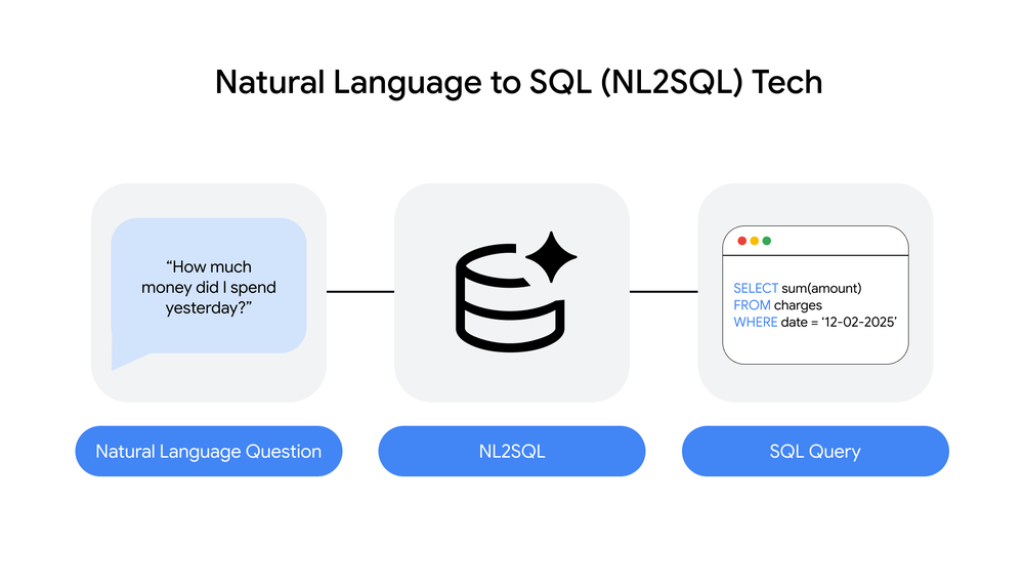
Today’s AI capabilities provide a great opportunity to enable natural language (NL) interactions with your enterprise data through applications using text and voice. In fact, in the world of agentic applications, natural language is rapidly becoming the interaction standard. That means agents need to be able to issue natural language questions to a database and receive accurate answers in return. At Google Cloud, this drove us to build Natural-Language-to-SQL (NL2SQL) technology in the AlloyDB database that can receive a question as input and return a NL result, or the SQL query that will help you retrieve it.

Currently in preview, the AlloyDB AI natural language API enables developers to build an agentic application that answers natural language questions on their database data by agents or end users in a secure, business-relevant, explainable manner, with accuracy approaching 100% — and we’re focused on bringing this capability to a broader set of Google Cloud databases.
When we first released the API in 2024, it already provided leading NL2SQL accuracy, albeit not close to 100%. But leading accuracy isn’t enough. In many industries, it’s not sufficient to translate text into SQL with accuracy of 80% or even 90%. Low-quality answers carry a real cost, often measurable in monetary terms: disappointed customers or poor business decisions. A real estate search application that fails to understand what the end user is asking for (their “intent”) risks becoming irrelevant. In retail product search, less relevant answers lead to lower conversions into sales. In other words, the accuracy of the text-to-SQL translation must almost always be extremely high.
In this blog we help you understand the value of the AlloyDB AI natural language API and techniques for maximizing the accuracy of its answers.
Getting to ~100% accurate and relevant results
Achieving highly accurate text-to-SQL takes more than just prompting Gemini with a question. Rather, when developing your app, you need to provide AlloyDB AI with descriptive context, including descriptions of the database tables and columns; this context can be autogenerated. Then, when the AlloyDB AI natural language API receives a question, it can intelligently retrieve the relevant pieces of descriptive context, enabling Gemini to see how the question relates to the database data.
Still, many of our customers asked us for explainable, certifiable and business-relevant answers that would enable them to reach even higher accuracy, approaching 100% (such as >95% or even higher than 99%), for their use cases.

The latest preview release of the AlloyDB AI natural language API provides capabilities for improving your answers in several ways:
- Business relevance: Answers should contain and properly rank information in order to improve business metrics, such as conversions or end-user engagement.
- Explainability: Results should include an explanation of intent that clarifies — in language that end users can understand — what the NL API understood the question to be. For example, when a real estate app interprets the question “Can you show me Del Mar homes for families?” as “Del Mar homes that are close to good schools”, it explains its interpretation to the end user.
- Verified results: The result should always be consistent with the intent, as it was explained to the user or agent.
- Accuracy: The result should correctly capture the intent of the question.
With this, the AlloyDB AI natural language API enables you to progressively improve accuracy for your use case, what’s sometimes referred to as “hill-climbing”. As you work your way towards 100% accuracy, AlloyDB AI’s intent explanations mitigate the effect of the occasional remaining inaccuracies, allowing the end user or agent to understand that the API answered a slightly different question than the one they intended to ask.
- aside_block
- <ListValue: [StructValue([(‘title’, ‘Get started with a 30-day AlloyDB free trial instance’), (‘body’, <wagtail.rich_text.RichText object at 0x7f5bdd3e8fa0>), (‘btn_text’, ”), (‘href’, ”), (‘image’, None)])]>
Hill-climbing to approximate 100% accuracy
Iteratively improving the accuracy of AlloyDB AI happens via a simple workflow.
First, you start with the NL2SQL API that AlloyDB AI provides out of the box. It’s highly (although not perfectly) accurate thanks to its built-in agent that translates natural language questions into SQL queries, as well as automatically generated descriptive context that is used by the included agent.
Next, you can quickly iterate to hill-climb to approximately 100% accuracy and business relevance by improving context. Crucially, in the AlloyDB AI natural language API, context comes in two forms:
-
Descriptive context, which includes table and column descriptions, and
-
Prescriptive context, which includes SQL templates and (condition) facets, allowing you to control how the NL request is translated to SQL.
Finally, a “value index” disambiguates terms (such as SKUs and employee names) that are private to your database, and thus that are not immediately clear to foundation models.
The ability to hill-climb to approximate 100% accuracy flexibly and securely relies on two types of context and the value index in AlloyDB.
Let’s take a deeper look at context and the value index.
1. Descriptive and prescriptive context
As mentioned above, the AlloyDB AI natural language API relies on descriptive and prescriptive context to improve the accuracy of the SQL code it generates.
By improving descriptive context, mostly table and column descriptions, you increase the chances that the SQL queries employ the right tables and columns in the right roles. However, prescriptive context resolves a harder problem: accurately interpreting difficult questions that matter for a given use case. For example, an agentic real-estate application may need to answer a question such as “Can you show me homes near good schools in <provided city>?” Notice the challenges:
-
What exactly is “near”?
-
How do you define a “good” school?
-
Assuming the database provides ratings, what is the cutoff for a good school rating?
-
What is the optimal tradeoff (for ranking purposes and thus for business relevance of the top results) between distance from the school and ranking of the school when the solutions are presented as a list?
To help, the AlloyDB natural language API lets you supply templates, which allow you to associate a type of question with a parameterized SQL query and a parameterized explanation. This enables the AlloyDB NL API to accurately interpret natural language questions that may be very nuanced; this makes templates a good option for frequently asked, nuanced questions.
A second type of prescriptive context, facets, allows you to provide individual SQL conditions along with their natural language counterparts. Facets enable you to combine the accuracy of templates with the flexibility of searching over a gigantic number of conditions. For example, “near good schools” is just one of many conditions. Others may be price, “good for a young family”, “ocean view” or others. Some are combinations of these conditions, such as “homes near good schools with ocean views”. But you can’t have a template for each combination of conditions. In the past, to accommodate all these conditions, you could have tried to create a dashboard with a search field for every conceivable condition, but it would have become very unwieldy, very fast. Instead, when you use a natural language interface, you can use facets to cover any number of conditions, even in a single search field. This is where the strength of a natural language interface really shines!
The AlloyDB AI natural language API facilitates the creation of descriptive and prescriptive context. For example, rather than providing parameterized questions, parameterized intent explanations, and parameterized SQL, just add a template via the add_template API, in which you provide an example question (“Del Mar homes close to good schools”) and the correct corresponding SQL. AlloyDB AI automatically generalizes this question to handle any city and automatically prepares an intent explanation.
2. The value index
The second key enabler of approximate 100% accuracy is the AlloyDB AI value index, which disambiguates terms that are private to your database and, thus, not known to the underlying foundation model. Private terms in natural language questions pose many problems. For starters, users misspell words, and, indeed, misspellings increase with a voice interface. Second, natural language questions don’t always spell out a private term’s entity type. For instance, a university administrator may ask “How did John Smith perform in 2025?” without specifying whether John Smith is faculty or a student; each case requires a different SQL query to answer the question. The value index clarifies what kind of entity “John Smith” is, and can be automatically created by AlloyDB AI for your application.
Natural language search over structured, unstructured and multimodal data
When it comes to applications that provide search over structured data, the AlloyDB AI natural language API enables a clean and powerful search experience. Traditionally, applications present conditions as filters in the user interface that the end user can employ to narrow their search. In contrast, an NL-enabled application can provide a simple chat interface or even take voice commands that directly or indirectly pose any combination of search conditions, and still answer the question. Once search breaks free from the limitations of traditional apps, the possibilities for completely new user experiences really open up.
The combination of the NL2SQL technology with AI search features also makes it good for querying combinations of structured, unstructured and multimodal data.The AlloyDB AI natural language API can generate SQL queries that include vector search, text search and other AI search features such as the AI.IF condition, which enables checking semantic conditions on text and multimodal data. For example, our real estate app may be asked about “Del Mar move-in ready houses”. This would result in a SQL query with an AI.IF function that checks whether the text in the description column of the real_estate.properties table is similar to “move-in ready”.
Bringing the AlloyDB AI natural language API into your agentic application
Ready to integrate the AlloyDB AI natural language API into your agentic application? If you’re writing AI tools (functions) to retrieve data from AlloyDB, give MCP Toolbox for Databases a try. Or for no-code agentic programming, you can use Gemini Enterprise. For example, you can create a conversational agentic application that uses Gemini to answer questions from its knowledge of the web and the data it draws from your database — all without writing a single line of code! Either way, we look forward to seeing what you build.
Read More for the details.